HappyMod Spotify: Premium Features & Safety Review [2026]
You want to enjoy Spotify’s best features without paying the monthly fee. You want ad-free music, unlimited skips, and high-quality audio. We understand.
But when you look for a “Spotify Premium APK,” you find a lot of confusing options. Which ones actually work? Which ones are safe? Can using one get your account banned?
This is our direct, honest report. As a core part of our safe Mods list. We will explain what Spotify mods realistically offer and detail the serious risks to your account and playlists. We will also provide a clear safety process for you if you still wish to proceed.
What Features Do Spotify Mods Actually Offer?
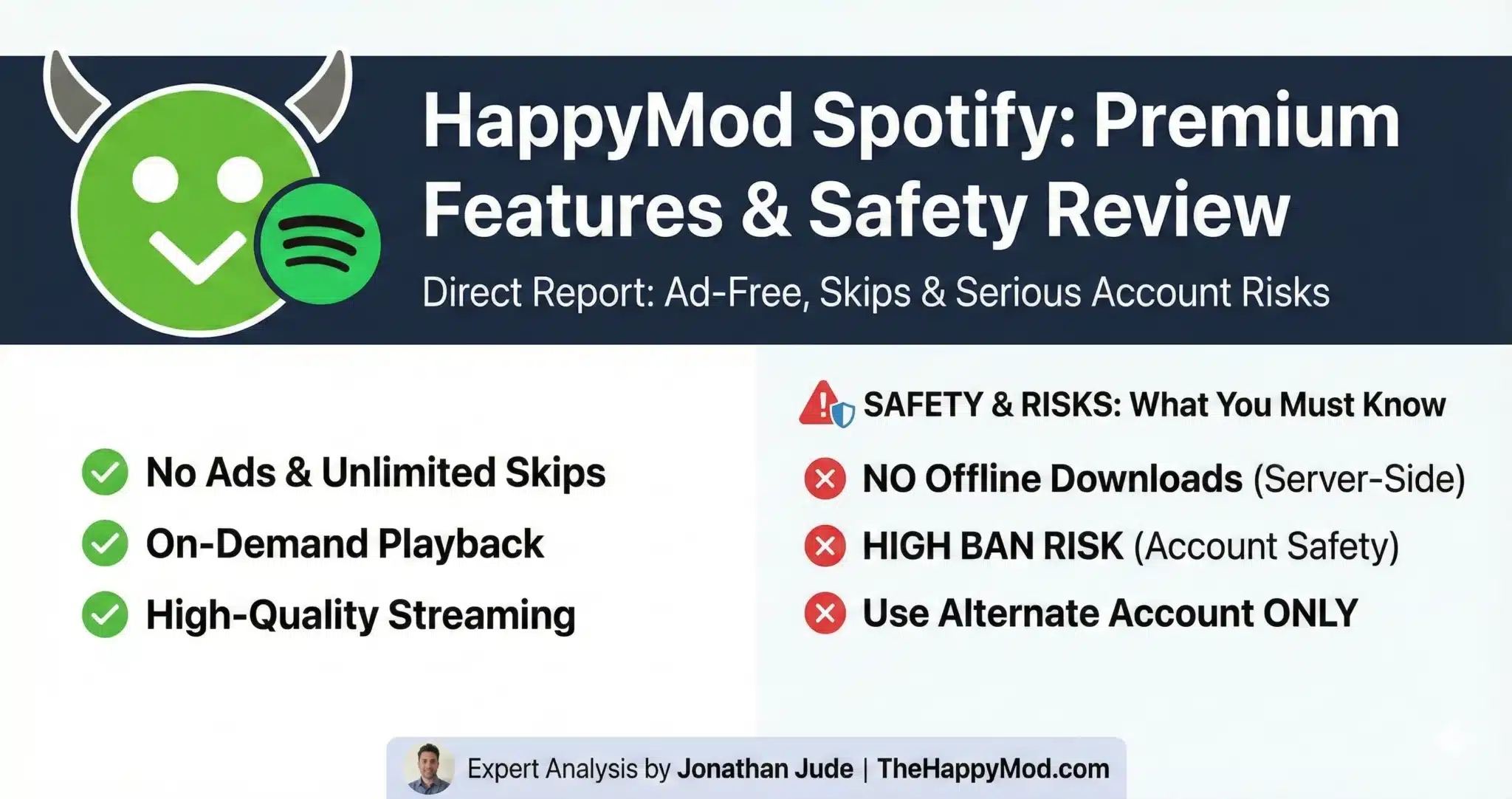
This section needs to be direct to manage your expectations. Most modified versions of Spotify can only offer certain things.
The Core Benefits (Usually Work)
Here is a list of features that most mods successfully provide:
The “Offline Download” Myth
Let’s be very clear: Most Spotify mods CANNOT reliably provide offline song downloads.
This feature requires constant, secure communication with Spotify’s servers to check for a paid Premium subscription. A mod cannot fake this connection.
Warning: Mods that promise offline downloads often do not work, break quickly, or could be a sign of a more dangerous, fake app. Trustworthy sources confirm this feature is rarely functional in mods. This honesty is important for building your trust in our articles.
Our Expert Safety Review for the Spotify Mod
Before you download anything, you need to understand the risks.
Analyst’s Notes – Jonathan Jude

“Spotify is a live service, not a simple offline game. It is always active and has detection systems for modified clients.
The biggest risks here are not just malware hidden in fake APKs, but also getting your Spotify account permanently banned. If that happens, you lose all your playlists and your entire listening history. I strongly advise against using your main account for any of this.”
Our Recommended Verification & Safety Process
Before you install any APK file, you should always check the file itself for any potential threats.
ACCOUNT SAFETY WARNING
WARNING: Using a modified Spotify client violates their Terms of Service. Spotify actively detects and blocks unauthorized apps. This can result in a permanent ban of your account, causing you to lose all playlists, saved music, and listening history. We strongly advise you to ONLY test mods using a new, alternate account you do not care about losing.
How to Choose and Install a Spotify Mod
If you accept the risks, here is a safe way to do it.
Final Safety Notes
Spotify mods offer some appealing features like no ads and unlimited skips. However, they cannot reliably provide offline downloads and come with the very real risk of a permanent account ban.
Responsible experimentation requires you to follow this report’s safety steps and never put your main Spotify account in danger.
People Also Ask
Is it safe to use a Spotify mod?
Scanning the file helps check for viruses, but using the mod itself is always risky for your Spotify account. You could be banned.
Can I get banned for using a HappyMod Spotify mod?
Yes, the risk is very high. Spotify’s detection methods are constantly improving. Never use your main account; only use a new or alternate one for testing.
Can I download songs for offline listening with a mod?
No, this feature rarely works in mods because it requires a valid Premium subscription check with Spotify’s servers. Be very skeptical of any mod claiming to offer this.
Jonathan Jude – Mobile Security Analyst & APK Reviewer
Based in Los Angeles, Jonathan Jude has four years of hands on experience reviewing Android apps and mobile software. He writes clear, technical articles focused on app behavior, safety signals, and common user risks.
His work centers on a documented testing process that checks file integrity, permissions, and real world performance. This helps readers understand potential risks before installing third party software. You can connect with Jonathan Jude on LinkedIn and Facebook.