
Is HappyMod Safe? The 5-Step Verification Standard [2026]
Security is not a feeling. It is a metric. When you deal with modified Android packages (APKs), blind trust is a vulnerability. You should never simply ask, “Is this safe?”
You should ask, “Where is the evidence?” The internet is flooded with files. Some are legitimate. Many are repackaged with malicious code. If you download a file just because it has a green download button, you are taking a risk with your personal data.
I operate TheHappyMod.com as an independent security auditor. I do not develop these tools. I analyze them.
My role is simple. I filter the raw files found on the internet. I strictly catalog only those that pass a forensic examination. The main HappyMod Overview on our hub page explains what the platform is. This document explains how I verify the installer. This is the Standard Operating Procedure (SOP) used to validate every file listed on this domain.
Our 5-Step Safety Protocol: Proof, Not Just Promises
Saying a file is safe costs nothing. Publishing the process behind that claim is what separates a security review from a marketing line. Here is exactly how every version gets checked before it appears on this site, and why each step exists.
Step 1 – Physical Device Testing
Scanners read code. They cannot watch an app run.
Before any file gets submitted for scanning, our team puts it on real Android hardware – devices running Android 13 and Android 14 – and installs it the way a normal user would. We watch what the app does at first launch: which permissions it asks for, in what order, and whether any request falls outside what a file management tool needs to function.
This step runs first because a file can pass every scan and still behave badly on a live device. Physical testing catches that before the technical checks begin.
Step 2 – VirusTotal Scan Across 65+ Engines
A single antivirus engine only knows what its own database contains. One scan is not enough.
We submit the APK to VirusTotal, which runs the file through 65+ independent engines at the same time – each with its own detection logic. We look at every result individually. A single flag does not automatically fail a file, because heuristic engines sometimes flag modified signatures without evidence of malicious code.
In those cases, the flagged segment gets a manual check. If it cannot be confirmed clean, the file does not pass.
User Verification I believe in transparency. I publish these results. You can view the scan logs directly via the Virus Scanner Tool or on our Main page.
Step 3 – SHA256 Hash Check
Scans tell you whether a file contains known threats at the time of review. The hash tells you whether the file you downloaded is the same one that passed those scans.
We record the SHA256 checksum at the point the file clears review and publish it alongside the download. After downloading, run the hash on your own device and compare it against the published value. A match confirms the file is untouched. A difference means the file was modified after it left our server – and you should not install it.
This is the only check that puts verification in your hands rather than ours.
Step 4 – Permission Audit
Permissions are the clearest signal of what an app intends to do with access to your device.
We list every permission the reviewed build requests, checked against what the app actually needs to function. The current build asks for storage access to handle APK files, network access to load the catalog, and notifications for download status. Nothing outside those three. If a future version requests anything beyond that set, the change gets documented in the review notes.
Reading the permission list before you install takes ten seconds. It is the fastest check available to any user regardless of technical background.
Step 5 – Scope: What This Review Does Not Cover
A review that does not state its limits is not a review. It is a sales pitch.
This process covers the HappyMod APK installer file – the binary that puts the platform on your device. It does not cover:
- Mod files inside the platform. Community-submitted APKs are separate files with their own risk profile.
- Server behavior. What the app does after connecting to remote infrastructure cannot be assessed through local file testing.
- Post-update code. Once the app pulls down its own updates over the network, the reviewed binary is no longer what is running.
- Account consequences. Whether a game’s developer bans accounts for using modified builds is a service-level decision outside file security.
Installing any app from outside the Play Store carries risk. This process addresses the risks that can be verified at the file level. The published hash, scan report, and permission list give you the same information we used before approving the download.
Deep Dive: Understanding the Threats
Why do I have this trouble? Because the threats in 2026 are sophisticated. You need to understand what we are looking for.
Threat 1: Phishing and Lookalike Domains
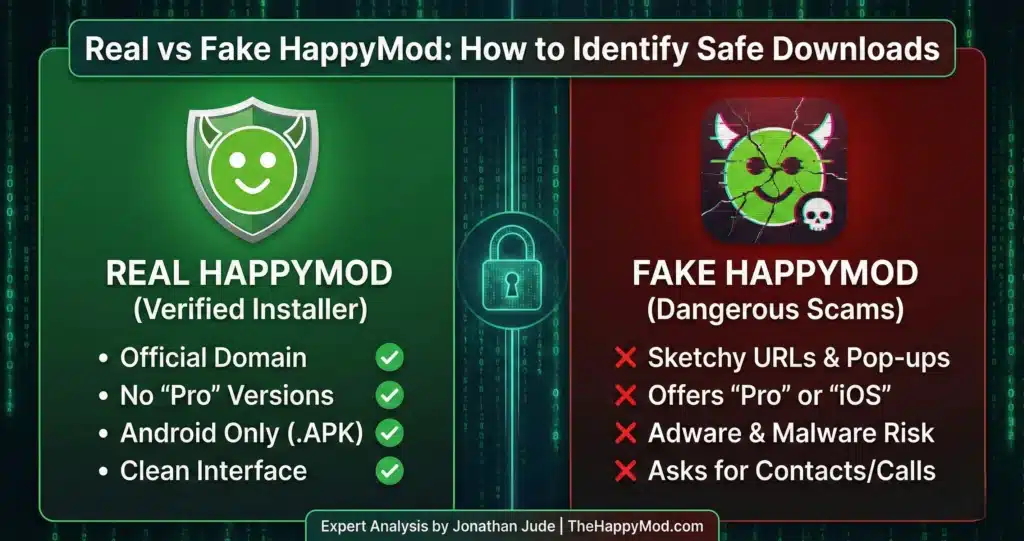
The biggest risk you face is often not the app itself, but the website you get it from. Many websites try to trick you by using a similar name or logo. They want you to download something that contains malware.
How to Spot a Fake:
- The URL: If the website address is a random string of numbers or letters, close the tab.
- The Button: If you click “Download” and it opens a pop-up window asking you to install a “Downloader Manager,” that is a scam.
- The File Extension: If the file ends in .exe or .zip (and requires a password), do not open it. Android apps are always .apk or .xapk.
We documented these visual and technical indicators. You can read more in our guide on How to Spot Fake HappyMod Sites.
Threat 2: Privilege Escalation (Rooting)
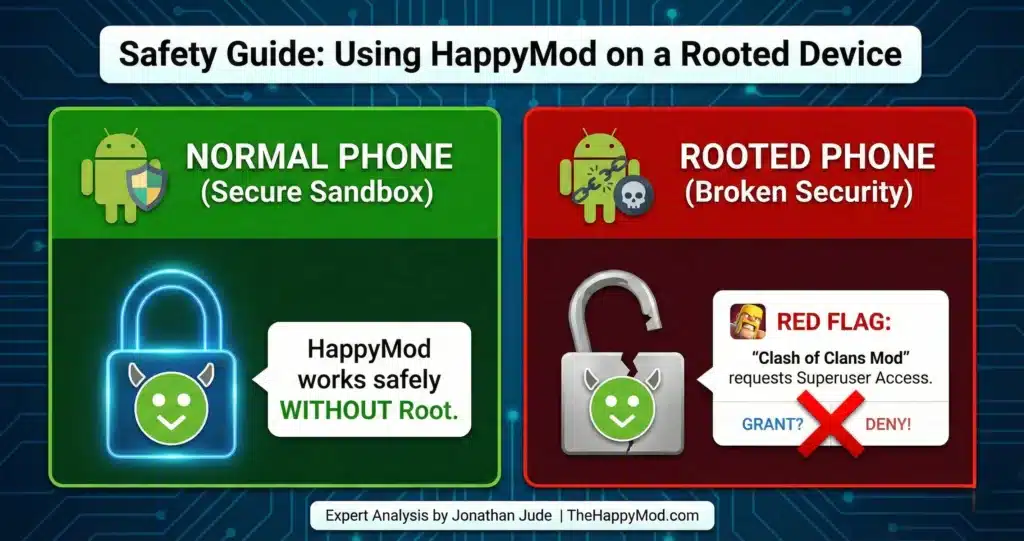
Some users ask if they need to “Root” their phone to use HappyMod. The answer is No.
“Rooting” allows a user to execute commands with administrative privileges. It gives you full control, but it also destroys the Android security sandbox.
- The Risk: Rooting allows applications to bypass standard isolation protocols. If you install a malicious mod on a rooted phone, that virus can jump from the game to your banking app.
- My Advice: I strongly advise against rooting. Using a modified app on a compromised device exposes your system level data to exploitation.
Read our analysis: Safety Guide to Using HappyMod on a Rooted Device.
Threat 3: Permission Abuse
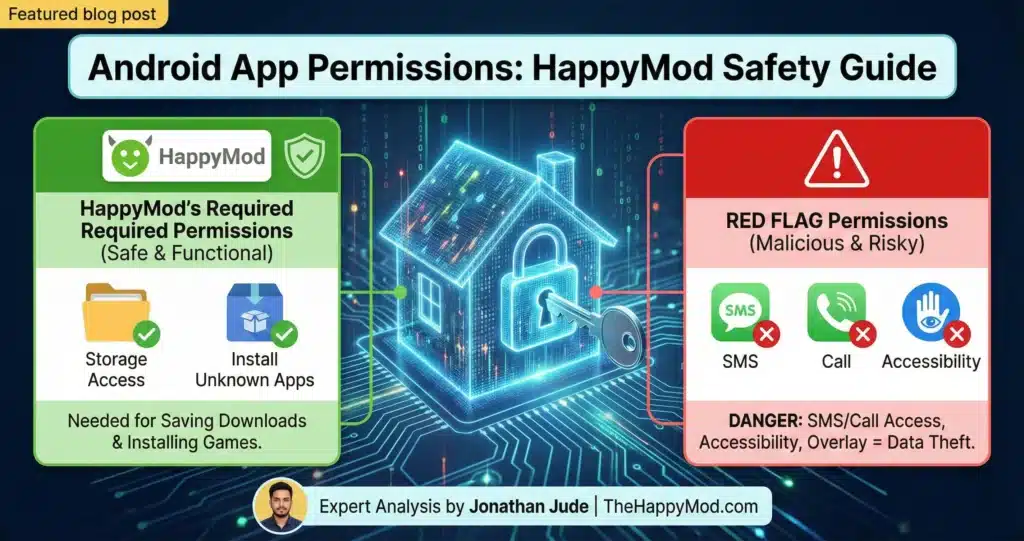
Android permissions are the gatekeepers of your data. They are the keys to the rooms in your digital house.
A flashlight app requesting “Read Contacts” is a security violation. It does not need that key. You must understand the difference between:
- Functional Permissions: These are needed for the app to work. (Example: A camera app needs access to the Camera).
- Over privileged Requests: This is data harvesting. (Example: A calculator app asking for your Location).
My audit checks for these abuses. If an app asks for too much, I do not list it.
Click here to see Android App Permissions Explained
Threat 4: The iOS Jailbreak Trap
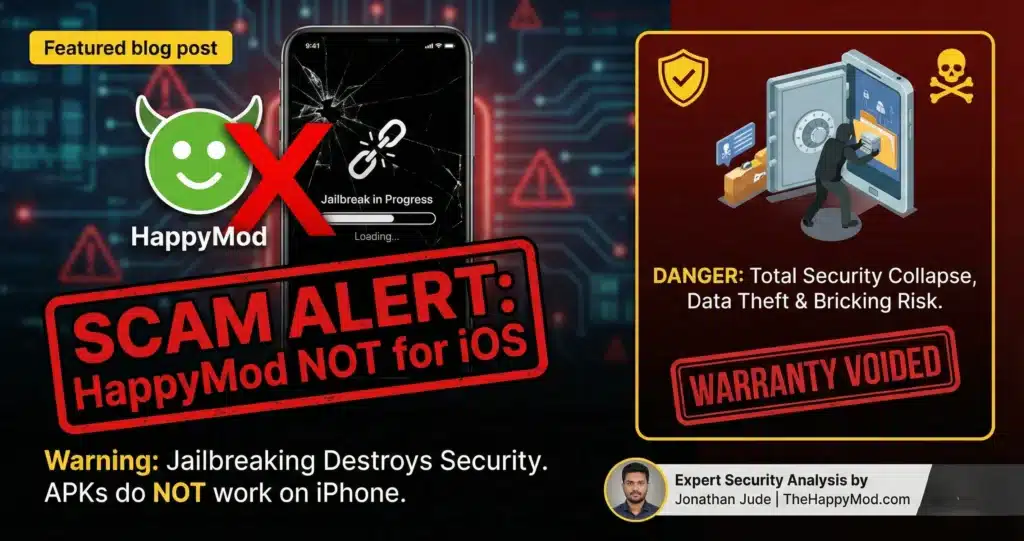
I see many users searching for “HappyMod iOS.” This software does not exist. Scammers exploit this demand. They tell you to “Jailbreak” your iPhone to install the app.
- The Lie: They claim jailbreaking unlocks compatibility.
- The Truth: Jailbreaking removes your phone’s security walls (“Sandbox”). It lets hackers steal your passwords. It does not let you run Android apps. An iPhone cannot read an .APK file, no matter what you do to it.
- My Advice: Never compromise your device hardware for a fake app.
For a detailed breakdown of this scam, read Why You Should Never Jailbreak Your iPhone for HappyMod.
Standard Operating Procedure: User Side Verification
My audit provides the first layer of defense. Your actions provide the second. Even with my testing, you should practice good security habits. Follow this protocol for every download.
1. Only Download from a Trusted Source
This is the most important rule. Always get the Verified HappyMod APK Installer from TheHappyMod.com. This ensures you receive the exact version that I have personally put through the 3 step testing process. Downloading from other websites means you are getting a file that I have not checked. It could be an old version. It could be a fake file with harmful code inside. Stick to the source you know is safe.
2. Verify the SHA256 Checksum
This sounds technical, but it is easy. Every file has a SHA256 hash. This is a unique digital fingerprint. It looks like a long string of numbers and letters.
- The Process: I list this hash on the Homepage. When you download the file, you can use a free tool to see the hash of the file on your phone.
The Check: Compare my hash with your hash. If the characters match, the file is 100% authentic. If they do not match, the file was altered during transit. Delete it immediately.
3. Audit Permissions Before Install
Android gives you a final warning. When you tap “Install,” a screen pops up listing the permissions. Read it. Do not just tap “Next” blindly. If you are installing a simple game and it asks for “Send and View SMS,” deny it. That is a red flag.
4. Isolate the Environment (Advanced)
If you are testing a new, experimental modification that you found deep in a forum, do not use your main phone. Consider using an Android Emulator (like BlueStacks ) on your PC. This creates a virtual phone. If the app is a virus, it only infects the virtual phone, not your real device. Do not use your primary banking device for testing experimental software.
Conclusion
Safety is not about luck. It is about procedure. We built TheHappyMod.com to provide a clean, verified entry point. We do the hard work—the scanning, the code analysis, the device testing—so you do not have to guess.
If you follow the protocols in this guide, you can explore modified apps while keeping your data and your device secure. Access the Verified Utility Ready to start? Download the HappyMod APK from our secure page.
People Also Ask
Can I get a virus from using HappyMod?
The main HappyMod APK file that you download directly from our website will not give you a virus. We verify this because every file we host must pass our 3-step safety check: a manual inspection, a multi-engine scan, and a live test. The biggest risk comes from downloading the app from fake, untrustworthy websites that copy our name.
Why does the “HappyMod” app flag as a virus on some scanners?
This is often a “PUP” (Potentially Unwanted Program) classification. Security vendors flag this because HappyMod competes with the Google Play Store. It identifies “Repository Behavior” (the ability to install other applications). It does not necessarily mean the code is malicious. However, you should always check the hash to be sure.
Why do I need to approve so many permissions for some mods?
Permissions allow an app to access parts of your phone, like storage. Some complex game mods need extra permissions to work because they change how the game saves data. However, always think before you approve. Ask yourself: “Does this permission make sense?” Our guide on Android App Permissions can help you make safer choices.
Should I jailbreak my iPhone to install HappyMod?
No. You should absolutely never jailbreak your iPhone for HappyMod. HappyMod is an Android-only platform. There is no iOS version. Anyone claiming to have “HappyMod for iPhone” is lying to you. Jailbreaking destroys the security of your iPhone and voids your warranty.

Jonathan Jude – Mobile Security Analyst & APK Reviewer
Based in Los Angeles, Jonathan Jude has four years of hands on experience reviewing Android apps and mobile software. He writes clear, technical articles focused on app behavior, safety signals, and common user risks.
His work centers on a documented testing process that checks file integrity, permissions, and real world performance. This helps readers understand potential risks before installing third party software. You can connect with Jonathan Jude on LinkedIn and Facebook.